Cline CLI with Carpe Diem: cdm_ key and OpenAI Compatible

Cline is a coding agent: it reads a repo, writes files and runs commands. In the terminal that is the CLI; in VS Code, an extension. Both can talk to an OpenAI-compatible API, so they can talk to Carpe Diem. With deepseek-v4-1-flash, it answered pong on the first try, then wrote add.mjs and printed 5.
Illustration generated with seedream-v5-lite on Carpe Diem.
What you need
- A Carpe Diem account with credits or a prepaid balance, and a
cdm_key (Credits & keys). - Node.js 20 or newer (we ran Node v22.23.1).
- Cline CLI 3.0.74, installed in step 2.
If you only want a Python script without an agent, the OpenAI Python SDK tutorial is enough. Here we start the agent.
Step 1: create a cdm_ key
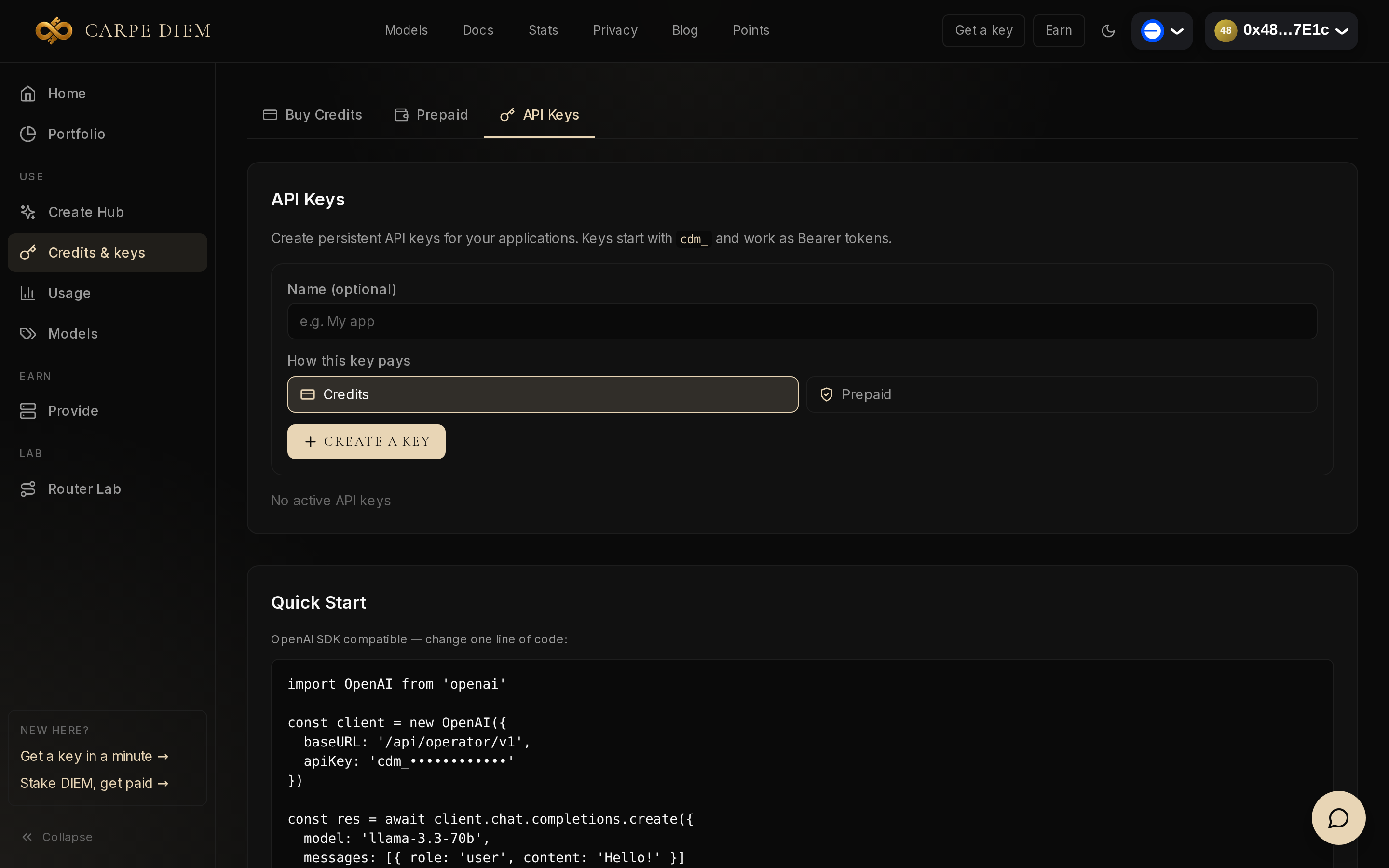
Open Credits & keys, then the API Keys tab. Choose Credits or Prepaid, give it a name if you want, then click Create a key. The key starts with cdm_ and is shown only once: copy it before you close the page. Both rails bill the same catalogue; payment details are in the guide, §4.1.
Step 2: install Cline CLI
Cline’s docs install the CLI with npm:
npm install -g cline
cline --version printed 3.0.74, the version of this trial.
Step 3: point Cline at Carpe Diem
Cline stores the provider in the --config directory (~/.cline according to the CLI reference). Three fields are enough, the same as in the VS Code extension ⚙️ panel (OpenAI Compatible): Base URL, key and model ID.
export OPENAI_API_KEY=cdm_your_key_here

cline auth -p openai-compatible \
  -k "$OPENAI_API_KEY" \
  -m deepseek-v4-1-flash \
  -b https://carpe-diem.xyz/api/operator/v1
Output we got:
Provider configured: openai-compatible (deepseek-v4-1-flash)
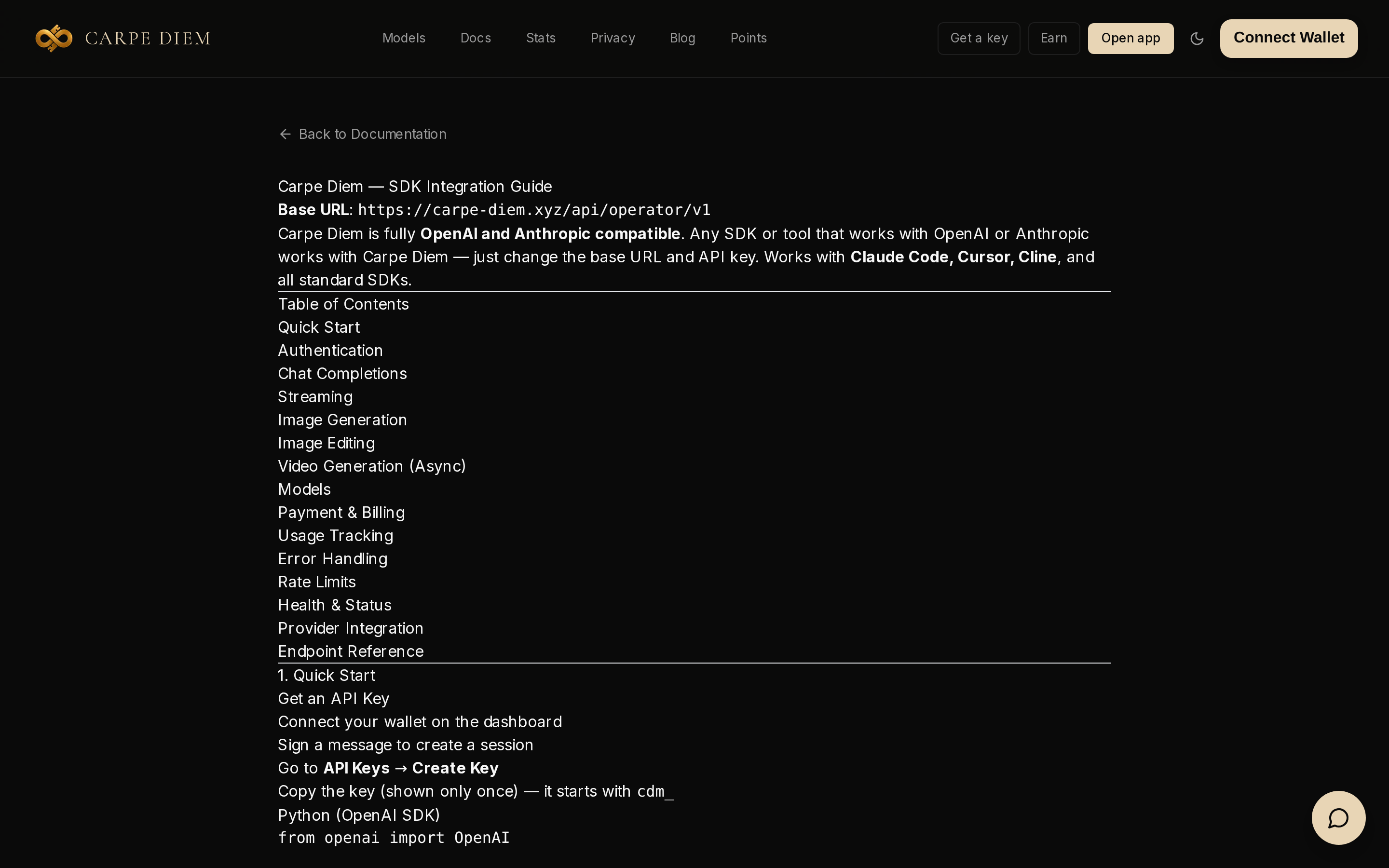
The URL must end with /v1: that is Carpe Diem’s base URL, and Cline appends /chat/completions itself. Copy the model ID from /models. At the time of our trial, deepseek-v4-1-flash was listed as private, optimized for code and able to call tools, which an agent needs. It cost $0.1647 per million input tokens and $0.6586 output (dynamic price).
Step 4: the first call
--json writes one event per line, useful to check the setup without opening the interactive UI. --auto-approve false does not auto-approve tools; our prompt asked for none.
cline --json --auto-approve false --timeout 90 \
  "Reply with the exact word: pong. Do not use tools."
The last object in the output:
{
  "type": "run_result",
  "finishReason": "completed",
  "iterations": 1,
  "text": "pong",
  "durationMs": 987,
  "model": {
    "id": "deepseek-v4-1-flash",
    "provider": "openai-compatible"
  }
}
The reply arrived in barely a second, with no tool call. Cline shows totalCost: 0: we had not filled in input and output prices in its model config, and the CLI does not print the X-Carpe-Cost-Usdc-Micro header. For the real charge, open Usage or read the headers from a script, as in the SDK tutorial.
Step 5: a real task in a folder
Work in an empty folder, not in a repo that is already loaded. --auto-approve true lets Cline write the file and run Node without asking.
cline --auto-approve true --timeout 180 --json \
  "Create add.mjs that exports function add(a, b) { return a + b }. Then run: node --input-type=module -e \"import { add } from './add.mjs'; console.log(add(2, 3))\" and stop after the command prints. Do not git init or commit. Do not install packages."
Cline created the file, ran the command, and Node printed 5. The file we got:
export function add(a, b) {
  return a + b;
}
The run_result had finishReason: completed in three iterations, with the same model and provider as the previous step. Without --json, cline "your task" opens the interactive UI (CLI overview).
If it does not work
Unauthorized. With a fake key (cdm_invalid_key_for_test), Cline returned Unauthorized (errorClass: auth, finishReason: error). The key is incomplete, badly pasted, or -k was not passed.
Model not found. With -m this-model-does-not-exist, the message was: This model is no longer available upstream. Try a newer version of the same model. A typo is enough: compare the ID with /models.
Base URL without /v1. The Anthropic adapter lives at https://carpe-diem.xyz/api/operator, without /v1. For Cline on OpenAI Compatible, keep /v1.
Node too old. Cline wants Node 20 or newer; node -v tells you where you are.
Going further
In VS Code, install the Cline extension, open ⚙️, choose OpenAI Compatible and fill the same three fields: Base URL https://carpe-diem.xyz/api/operator/v1, cdm_ key, model deepseek-v4-1-flash. We did not run the extension here; the CLI and the extension share this kind of provider.
For another terminal agent, see Hermes Agent. For a streaming web chat, the Vercel AI SDK tutorial. To try a model with no install, Create Hub.
Method: trial on 5 November 2026 with Cline 3.0.74 and Node v22.23.1, one run per step. The pong ran without tools; the add.mjs task wrote the file and printed 5. The Carpe Diem charge was not read from Cline, and the VS Code extension was not tested.
Create your key on Credits & keys, run cline auth, then the pong.